Paint the icon.Finish the canvas.
A source-backed guide to Paint a Game on Roblox—built for the exact four-player experience at place 101311283769036.
There is another Roblox game with this title. Check the IDs → By Let's Make More
What are you trying to do?
Pick the problem in front of you. Every guide stays within the exact Let's Make More game and leaves undocumented controls out.
Go from open canvas to your first finished painting.
Correct game, station, icon search, hints, completion, and a safe exit.
Beginner guide →
Break a difficult icon into workable regions.
Painting tips →Compare every current pass.
Five official products, exact effects, and a problem-first value guide.
View gamepasses →04 / Leaving mid-paintingUnderstand the autosave promise.
What the listing says, what remains unknown, and how to leave a clear checkpoint.
Save guide →One canvas. Four clear moves.
- Find a stationUse an open outdoor canvas and its visible prompt.
- Search an iconChoose from the 6,000+ games named in the listing.
- Paint by regionUse the palette and hints to work through the image.
- Finish or pauseCompletion feeds the leaderboard; unfinished work is advertised to save.
Spend for a specific reason.
Brush radius and hint cooldown directly change painting flow. Speed, VIP, and XP solve different problems.



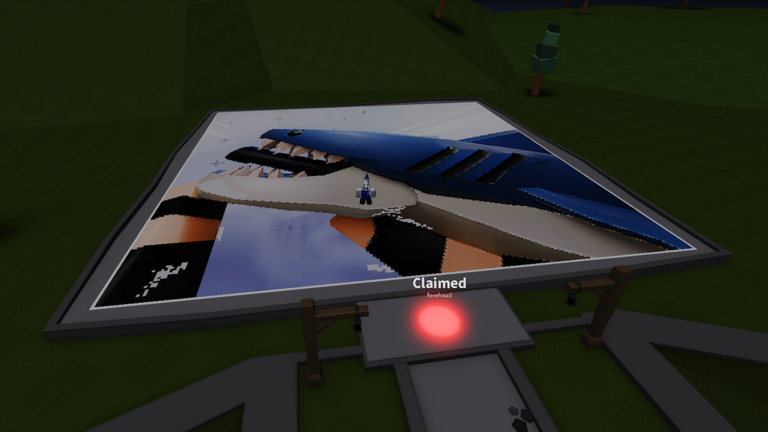
From flat pixels to a giant outdoor canvas.
Version 0.6.1 is live.
The current listing names the version but does not publish a separate 0.6.1 change list. Earlier 0.5.3 notes covered a new map, color merging, index tools, and search improvements.
Read update historyThree milestones, one clean checklist.
Joining and completing a first painting are direct goals. Meeting a developer depends on sharing a live server with one.
Open the badge guide → Thanks For Playing
 A Game Has Been Painted
 Meet A Developer
Before you open Roblox.
The important identity, save, and version questions—without importing systems from the other game with the same name.
Which Paint a Game does this wiki cover?
This wiki covers the experience by Let's Make More: root place 101311283769036 and Universe 10420786315.
What do you do in Paint a Game?
Choose an icon from more than 6,000 Roblox games, paint it on a canvas, finish paintings, and move up the leaderboards.
Does Paint a Game save progress?
The official Roblox listing says your painting is saved when you leave so you can continue later. It does not publish the exact save interval.
What is the current Paint a Game version?
The Roblox API and current listing showed version 0.6.1 during the July 28, 2026 source check.