Quick answer:open the experience by Let's Make More, use an available outdoor canvas, search for an icon, paint the image with the current palette and hint tools, then complete it for leaderboard and badge progress.
Your first painting, step by step.
- Confirm the creator before joining.Search results contain another Roblox experience with the same title. This guide is only for Paint a Game by Let's Make More at place 101311283769036.
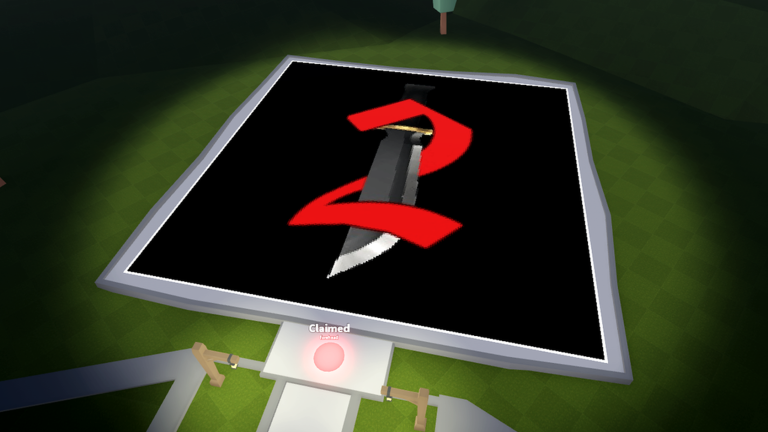
- Move to an open canvas station.Official screenshots show large outdoor boards with a glowing claim point. Use the interaction prompt shown on your device; the exact key or button can change by platform.
- Search for a Roblox game icon.The official listing advertises more than 6,000 top game icons. For a first attempt, choose one with a plain background, a bold silhouette, and a small number of dominant colors.
- Work through the image by region.Fill one large color area before moving to small edges. The game includes hints, and its Unlimited Hints pass description says the standard hint wait is ten seconds.
- Complete the canvas or leave a checkpoint.Finished paintings contribute to the leaderboards and unlock the first-completion badge. If you leave early, the listing says your painting will be available next time.
Use the interface with a purpose.
| Tool or system | Best use | Boundary |
|---|---|---|
| Icon search | Find a recognizable subject from the advertised catalog. | No public difficulty rating is supplied. |
| Hints | Resolve uncertain cells around edges or small details. | The exact hint behavior can change with updates. |
| Painting index | Return to a saved painting; the earlier 0.5.3 listing said index clicks equip paintings as tools. | Current menu labels should be checked in-game. |
| Leaderboard | Track progress from completing multiple paintings. | No public scoring formula is listed. |
Community gameplay from this universe.
The frame below matches the dark outdoor map, red claim light, and sword canvas in the official Roblox media. It is a player recording, not a creator tutorial.
Four ways a first canvas goes wrong.
Bright six-player footage with coins and slots belongs to another universe.
A photographic icon creates many tiny transitions before you know the tools.
Jumping around makes it harder to see what remains. Close one region at a time.
The listing promises saved progress but gives no interval. Pause briefly and remember your last region.
Questions before your first session.
How do you start a painting in Paint a Game?
Join the Let's Make More experience, move to an open canvas station, follow its visible prompt, and use the in-game search to choose a Roblox game icon.
How many people fit in a Paint a Game server?
The Roblox Games API reported a maximum of four players during the July 28, 2026 source check.
Can you leave before finishing?
The official description says your painting saves for the next time you join, but it does not publish an exact save interval.
Does this guide list PC, phone, and controller buttons?
No fixed mapping is published for this exact universe. Use the prompts displayed by the current game client on your device.